
A site 100% dedicated to researching those that have served in the Commonwealth armed forces.
Connecting Records to the Right Individual
A Research-Focused Approach to Military Genealogy
Fragments is unlike other online military genealogical sites. We do not simply 'serve up' thousands of potential names in response to a search. We aim at giving you sufficient information (during the correct time frame) for you to select the right person.
Behind the scenes we have also endeavoured to link records concerning the same person, even though you may not know they go together.
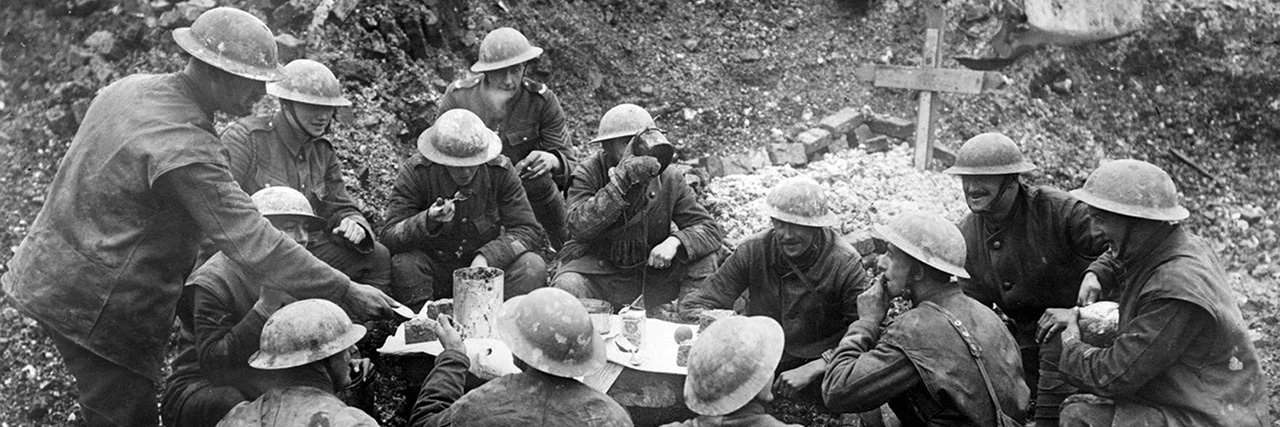
Contemporary Records and Supporting Documentation
Where possible contemporary written biographical information has been transcribed (from numerous different sources) and attached to the relevant person.
Medal rolls, officer lists, casualty rolls, war diaries and other documentation provide context to a person's military story.
A Growing Archive Built Over 47 Years
Fragments has taken over 47 years to create and despite our best endeavours, we know it is not perfect.
The contents of our archive will list what we have documented to date.
As further material is uploaded, the archive page will grow, so check back on a regular basis.
Using Gatekeeper to Build a Person’s Story
On the Search page, Gatekeeper enables you to search for your person and select the relevant records to form part of the person's story.
Before you commit to a search, Gatekeeper will compare the personal records and war diary extracts each of the Basic and Comprehensive searches will return.
FAQ's
How does search work?
Searching the Fragments database happens in two stages.
First, you perform a free search to locate a potential person in the database. This allows you to confirm that the individual you are researching exists in our records.
Once you find the correct person, you can choose to generate either a Basic Report or a Comprehensive Report, which will provide the detailed information connected to that individual.
Is searching free?
Yes.
You can search the database for free to locate potential matches. However, to access the detailed information connected to a record you will need to generate either a Basic Report or a Comprehensive Report, which requires credits.
What is the difference between a Basic Report and a Comprehensive Report?
Basic Report
A Basic Report returns key information about the person, including:
- Personal details
- Dates of disembarkation
- Casualty details
- Honours and awards
This report gives a quick overview of the person's service.
Comprehensive Report
A Comprehensive Report returns all information available, which may include:
- Personal details
- War diary extracts
- Images
- Annexures (such as certificates, postcards, POW records)
- Other contextual documentation
This report provides a much deeper understanding of the individual's military story.
What is the Gatekeeper screen?
Before you purchase a report, the system displays a Gatekeeper comparison screen.
This screen shows how many records are available in each report type so you can decide which report is best for you.
For example:
| Information Type | Basic Report | Comprehensive Report |
| Personal details | ✓ | ✓ |
| War diary extracts | – | ✓ |
| Images | – | ✓ |
| Annexures | – | ✓ |
This helps ensure you know what information will be returned before purchasing a report.
Do I need an account to use the site?
You can perform free searches without an account.
However, to generate reports or purchase credits you must create an account or log in.
Your account allows you to:
- store your paid reports
- track your credits
- return to your reports later
How do credits work?
Instead of buying individual reports, you purchase credits.
For example:
- Basic Report = a small number of credits
- Comprehensive Report = a larger number of credits
You can purchase any amount of credits and use them whenever needed.
Credits remain in your account until they are used.
What happens when I generate a report?
When you generate a report:
- The report is created using the selected search results.
- The required credits are deducted from your balance.
- The report is saved in your Search History.
Only paid reports are stored in your account.
Free searches are not saved.
How long can I access my report?
All reports remain available in your account for 12 months from the date they are generated.
During this period you can return and view the report at any time at no additional cost.
Can I upgrade a Basic Report to a Comprehensive Report?
Yes.
If you initially generate a Basic Report, you can upgrade it to a Comprehensive Report at any time within the 12-month period.
You only pay the difference between the two report prices.
Once upgraded, the Comprehensive Report will remain available for 12 months from the upgrade date.
Where can I find my previous reports?
All purchased reports are stored in your Search History Reports section in your account dashboard.
There you can:
- view previous reports
- search your report history
- see when reports expire
- upgrade reports if needed
Can I repeat a search without paying again?
Yes.
Once you have generated a report, you can access that report as many times as you like within the 12-month period without additional cost.
Why am I asked to provide multiple search fields?
To help narrow the results and identify the correct individual, the system requires:
a Surname, and
at least one additional field such as:
- Service Number
- Initials
- First Name
- Unit
Providing more information helps produce more accurate results.
Why might a search return multiple people?
Many soldiers may share the same name. The search results help you identify the correct individual by displaying available details.
Once you select the correct person, you can generate a report to view the full information.
